openmamba milestone4 (beta) and rolling updates

The development of the rolling distribution of openmamba keeps going since the release of the openmamba milestone3. It’s time to give some updates:

milestone4

milestone4 release enters a beta phase. Packages repositories of this milestone release are available and will be synchronized periodically with upstream repositories of the rolling release until it will be released as stable. Advanced users of the milestone3 release may upgrade their own systems using the openmamba-dist-upgrade script by entering the following command in a terminal window:

sudo openmamba-dist-upgrade milestone4

It is also possible to update your milestone3 installation to rolling using this command instead:

sudo openmamba-dist-upgrade rolling

For new installations we recommend to use the rolling release installation media. After the installation it will be possible to switch to milestone4 release by entering the following commands in a terminal:

sudo smart remove openmamba-devel
sudo smart channel –disable devel devel-games
sudo smart channel –enable milestone4 milestone4-updates

KDE 5

The popular graphical environment on which openmamba default desktop is based has been completely updated to release 5 by recently finishing the update of PIM components (email, calendars and other personal information).

milestone4 release ships with the classic KDE Workspace environment in order to give continuity to users upgrading from the milestone3 release. To accomplish this many internal aspects have been worked on to ensure that the update will keep user configurations of KDE parts unchanged.

The new KDE Plasma 5 environment will be a feature of the next milestone5 release.

x2go

Users of milestone4 or rolling releases may use x2go as a performing solution for remote desktop management of desktop and server installations of openmamba (as well as other Linux based distributions). On the PC/Server you want to control the package to install is x2goserver, while the package to be installed on clients is called x2goclient.

Telegram

The desktop version of the popular instant messaging client has been available for months to rolling release users. To use it is necessary to install the package named telegram.

There is also a Telegram bot for openmamba users and developers. This bot, in beta release, lets the users get information on openmamba available packages in an easy and fast way. Furthermore, openmamba developers using the webbuild development environment will also find useful notification functions of the state of build processes.

Flash e Pepper-Flash

Adobe recently started maintaining again the NPAPI version of the Linux Flash plugin  (for browsers like Firefox) which is in sync with the PPAPI version (for Chromium browser), for 32 and 64 bit Intel compatible systems. Installation and update to the latest versions of both plugins are internally managed by openmamba and is available in all the versions including and following the milestone3.

KDE Connect

KDE Connect is an useful component for the integration of KDE desktop with Smartphone devices. The package to install on your milestone4/rolling desktop client is called kdeconnect4.

milestone5 and beyond

The evolution of the o.s. keeps going on naturally by continuosly producing updates of many of the thousands of components. In addition to this the maintainer (who is writing this post) keeps managing the most important parts of the whole project with as much effort as possible.

Some possible objectives of the milestone5 release will be: updating predefined desktop to KDE Plasma 5, support for the arm gnueabihf (Hard Floating point) architecture.

openmamba can get better by getting users feedback and thanks to the collaboration of developers and partners who can take in charge any of the many things to manage. Anybody interested into helping this project is welcome and can use the forum or the other available channels to start.

Special thanks to all the people who collaborate and collaborated to this project.

Happy holidays from openmamba!


openmamba milestone3

After some months in pre-release state, installation media of the milestone3 stable version are available for download with release 3.0.1.

Users of existing pre-release milestone3 installations have already received system updates, while those who want to make new installations or use milestone3 as a “live” system, can use recent downloadable media (livedvd, livecd, diskimg-livecd, livecd-light).


Linux Day 2015 – Ivrea (Italy)

24 ottobre 2015
LinuxDay-2015-Immagine-sito-1024x584

At the LinuxDay 2015 held at Ivrea (Italy) there will be a talk about openmamba milestone3:

  • features of the new O.S. release
  • installation and usage


On Saturday, October 24th 2015, from 9:30 am to 06:00 pm, you are all invited at the  “Officina H“, in Via Montenavale, Ivrea (Italy), to personally experiment  the “Freedom” granted by applications based on free software e hardware.

The program of the day consists of many interesting events. Download the flier with the full program and help us promoting this event. Print and expose it, or send it to your friends and people you know.

Find more info at: “LinuxDay 2015 (Sabato 24 Ottobre)

Entrance is free.

Migration from MySQL to MariaDB

Following today updates available in rolling release and shortly in milestone3, MySQL database engine will be replaced by MariaDB.

MariaDB is a drop-in replacement of MySQL thus providing full compatibility, better performance and most important it is based on the GPL license allowing usage in more situations than MySQL license permits.

openmamba sysadmins of MySQL based servers should follow the following instructions to upgrade the database. After installing the new packages by performing a system upgrade run the following command:

sudo mysql_upgrade -u root -p

Then restart MariaDB server with the following command:

sudo systemctl restart mariadb

After that it will be necessary to restart all the services connecting to the MySQL database to start using MariaDB.

Some services will need to modify the pointer to the socket, which has changed from

/tmp/mysql.sock

to

/run/mysqld/mysql.sock

In order to keep all data safe the old MySQL database in /var/lib/mysql5 will not be touched. Instead it will be copied to /var/lib/mysql. Please be sure to have enough free disk space to contain a full copy of the database directory. Once migration has been succesfully completed and checked it will be possible to remove the /var/lib/mysql5 folder with all its content.


Pepper-flash plugin for Chromium

Installazione del plugin pepperflash per Chromium

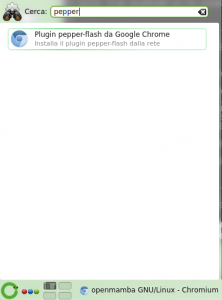
Following the recent Chromium updates for openmamba milestone3 and rolling users, it is necessary to install the pepper-flash plugin in order to see the web pages requiring the flash plugin.

You may do this by simply running the Pepper-flash plugin from Google Chrome – Install the pepper-flash plugin from the network entry available in the desktop menu and wait some minutes for automatic download and installation of the component from the network.

openmamba adds support for the new Raspberry Pi 2

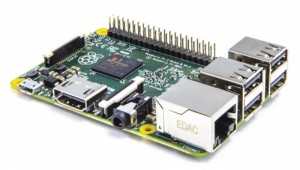
Raspberry Pi 2The new snapshot of the diskimg-raspberrypi image adds support for the new Raspberry Pi 2.

The image needs to be uncompressed and transferred on a microSD with an appropriate command, afterwards is it sufficient to insert the microSD card in any Raspberry Pi model to get a working system based on the LXDE desktop environment.

Available at the downloads page.

New openmamba installation interface

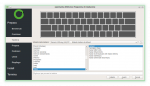
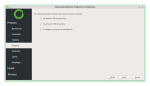
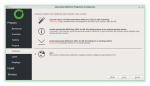
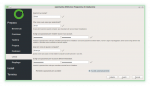
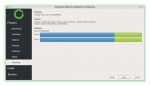
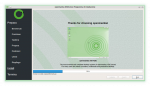
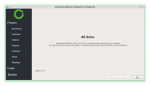
Since this week people going to install openmamba will find a new installation interface based on the Calamares distribution independent framework. Some graphical and funzional aspects still need to be completed but the procedure is already working and provides new or improved features compared to the old installer.

openmamba disk images now available

openmamba is now also available as downloadable “disk images”.

The “diskimg-livecd” images let you install a live, portable and installable of openmamba on a USB pendrive. In a few minutes have the latest openmamba running on your 32 or 64 bits PC, notebook or server!

Have you got a arm-based single board device? There are disk images for those kind of targets too, just copy them on a (μ)SD card and start openmamba on your device. We currently support images for RaspberryPi, Cubox, and BananaPi.

Go to the downloads page for more details.

Cyberia: a day for digital freedom

14 settembre 2014, ore 15:00
cyberiaOn Sunday, september 14th at 3 p.m. at the Arcipelago Beach, near the Murazzi del Po right side (Turin, Italy), there will be the event “Cyberia: a day for digital freedom”.

The Community of promoters, supporters and developers of Free Libre Open Source Software, operating in the sabauda capital, will celebrate and actively support the choice of the city administrative offices to migrate their computers to the GNU/Linux operating system.

The event will be full of initiatives and guest with the aim of arising curiosity, inform and discuss the many aspects and possibilities offered by the “free and open” approach to knowledge using the existing technical and legal instruments.

The Turin community, cohesive, purposeful and willing, wants take advantage of this situation to promote and encourage all the public administrative offices to adopt free software and make feel strong the support for it.

Richard Stallman, person of worldwide relevance, one of the main exponents of the free software movement and founder of the GNU project, will take part to the event.

Program:

Starting at 3 pm many workshops and laboratories will be active:

  • Mini LIP (Linux Installation Party)
  • Trashware recovery with Free Software
  • CC consulting helpdesk for artists and content makers
  • A zero kilometers far distribution: OpenMamba
  • Open 3d: Video Blender Foundation projection
  • 3D printing demonstrations
  • Eris Edizioni: Creative Commons publishing house
  • I.I.S. Giuseppe Peano
  • Patamu.com (brainwork deposit and protection, free and legal)

At 4.30 pm, the central event of the day, the public discussion moderated by the lawyer Marco Ciurcina, with:
Gianmarco Montanari (Turin City general director), Fosca Nomis (Turin council member), Roberto Moriondo (Director of innovation and research of Regione Piemonte), Luca Robotti (Promoter of the regional law n. 9 of march,26 2009), Angelo Raffaele Meo (Emeritus professor of the Politecnico di Torino), Juan Carlos De Martin (Co-founder Centro Nexa on Internet and Society), Roberto Guido (Director of the Italian Linux Society), Giovanni Ferrero (CDA member of CSI Piemonte), Alessandro Portinaro (Major of the city of Trino), Sasha Dalia Manzo (Lawyer expert on industrial and intellectual property).

At 6.30 pm Richard Stallman speech.

Starting at 10 pm live exhibitions of groups participating to the Patamu.com project, the first platform in Italy that lets artists deposit and protect from plagiarism for free their own art and brain works in a legally valid way. Adriano Bonforti, the founder of the project, will participate.

From 10 to 11 pm – de Grees (hard-monic)

From 11 pm to midnight – So What (Jazz Ensemble, Electic Jazz)

The event is promoted by NetStudent, GlugTO, Officina Informatica Libera, ARCI Torino, Prometeo with support from the Italian Linux Society.

For information and communications: cyberia@arcitorino.it

Location: Arcipelago Beach

Address: Murazzi lato dx – Torino

Website: www.arcipiemonte.it/eventi/cyberia-torino-capitale-del-software-libero

Linux Day Turin 2011

22 october 2011, 16:00

LinuxDay
openmamba maintainer, Silvan Calarco, has been invited to a talk within the Linux Day, an event about Linux which is held every year the same day in many italian cities.

During the talk, which will be held at the Turin site, three italian GNU/Linux development projects, Sabayon, Fedora and openmamba, will be compared via their respective representatives Fabio Erculiani, Francesco D’Aluisio and Silvan Calarco. The meeting will be moderated by Roberto Guido who I would like to thank for the idea and organization.

Address: Cascina Roccafranca, Via Edoardo Rubino, 45, Torino, Italy

Location: Salone

Website: linuxdaytorino.org